-
- EN
-

A telephone headset adapter helps connect headsets to office phones, enabling hands-free communication. Whether you're in a call center, office, or remote workspace, the right adapter ensures clear audio and efficient workflow. Below, we explain everything you need to know about these adapters, including how they work, troubleshooting tips, and why ADDASOUND is the best brand for reliability.
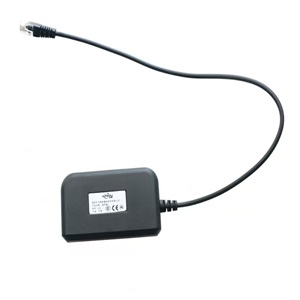
A telephone headset adapter is a compact device that bridges the connection between a desk phone’s handset port and a wired or wireless headset. It allows users to make and receive calls without holding the phone, improving efficiency and comfort during long work hours.
Adapters come in different types:
RJ9 (4P4C) adapters – For traditional desk phones (e.g., Polycom, Yealink, Cisco)
USB adapters – For VoIP phones and computers
Bluetooth adapters – For wireless headsets and mobile device compatibility
Key features of ADDASOUND adapters:
Plug-and-play installation
Built-in noise cancellation
Adjustable volume and mute controls
Wide compatibility with major brands
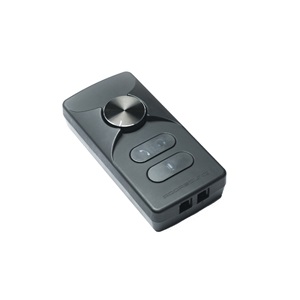
Telephone headset adapters convert electrical signals between a phone and a headset to ensure smooth operation. Here’s how they function:
1. Connection Setup
The adapter plugs into the phone’s handset port (RJ9) or USB port (for newer models).
The headset connects to the adapter's audio ports (3.5mm, USB, or Bluetooth).
2. Signal Conversion
Some adapters have impedance matching to optimize audio quality.
Others include amplifiers to boost mic and speaker output.
3. Call Handling
In-line controls (e.g., mute, volume adjustment) let users manage calls without touching the phone.
Wireless adapters (Bluetooth) allow mobility within a short range.
For best results, ADDASOUND, as one of the professional telephone headset suppliers, ensures seamless communication—whether using wired or wireless headsets.
If your adapter malfunctions, try these solutions before replacing it:
Problem | Possible Cause | Solution |
No sound in headset | Loose cable connection | Replug the adapter and check cables |
Microphone not working | Wrong port setup | Verify mic port and test with another headset |
Static noise or echo | Impedance mismatch | Use an ADDASOUND adapter with impedance adjustment |
Bluetooth pairing issues | Weak battery or interference | Charge the adapter and move away from Wi-Fi routers |
Audio cutting in/out | Faulty wiring or interference | Replace damaged cables or switch to a shielded adapter |
Pro Tip: If problems persist, ADDASOUND adapters come with warranty support—replacement options are available.
Not all office phones support headsets natively, making adapters essential for:
Call centers & customer support teams – Long hours require comfortable headsets.
Remote workers – Enables flexible communication on desk phones & softphones.
Hybrid office setups – Bluetooth adapters allow switching between desk phones and mobile devices.
Why Choose ADDASOUND?
Universal compatibility – Works with Cisco, Avaya, Polycom, and more.
Superior audio quality – Noise reduction for clearer calls.
Durable & reliable – Built to last with a 2-year warranty.
For offices needing seamless headset connectivity, ADDASOUND adapters are the best investment. Shop Now for plug-and-play solutions from reliable headset manufacturer!
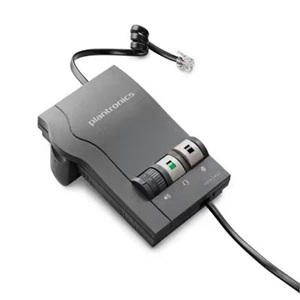
A high-quality telephone headset adapter improves call quality, reduces fatigue, and boosts productivity. Whether you need a wired RJ9 or wireless Bluetooth adapter, ADDASOUND offers reliable options for all office environments.
 Denmark
 Germany
 Russia
 China
China